
What is Handrail,
and why does it matter?
Handrail is the transparent workspace where custom software is built, operated, and evolved. It gives customers one place to see the backlog, estimates, dependencies, approvals, AI-assisted implementation, human oversight, CI/CD checks, releases, hosting operations, and plan context for the applications they use.
One pane for the whole service relationship.
Handrail connects the commercial model to the delivery record. A customer can see what has been requested, what is being estimated, what is blocked, what is approved, what is in build, what passed checks, what is staged, what is live, and where the ongoing plan is being used.
- BacklogRequests move from intake to scope, estimate, approval, implementation, review, release, and follow-up without disappearing into a status deck.
- ControlsCustomer approval points can be granular or delegated, depending on how hands-on the team wants to be.
- OperationsCI/CD checks, staging review, production releases, hosting status, and operational notes stay attached to the work.
- PlanIncluded service, usage, and change activity stay connected to the work so operating decisions have practical context.
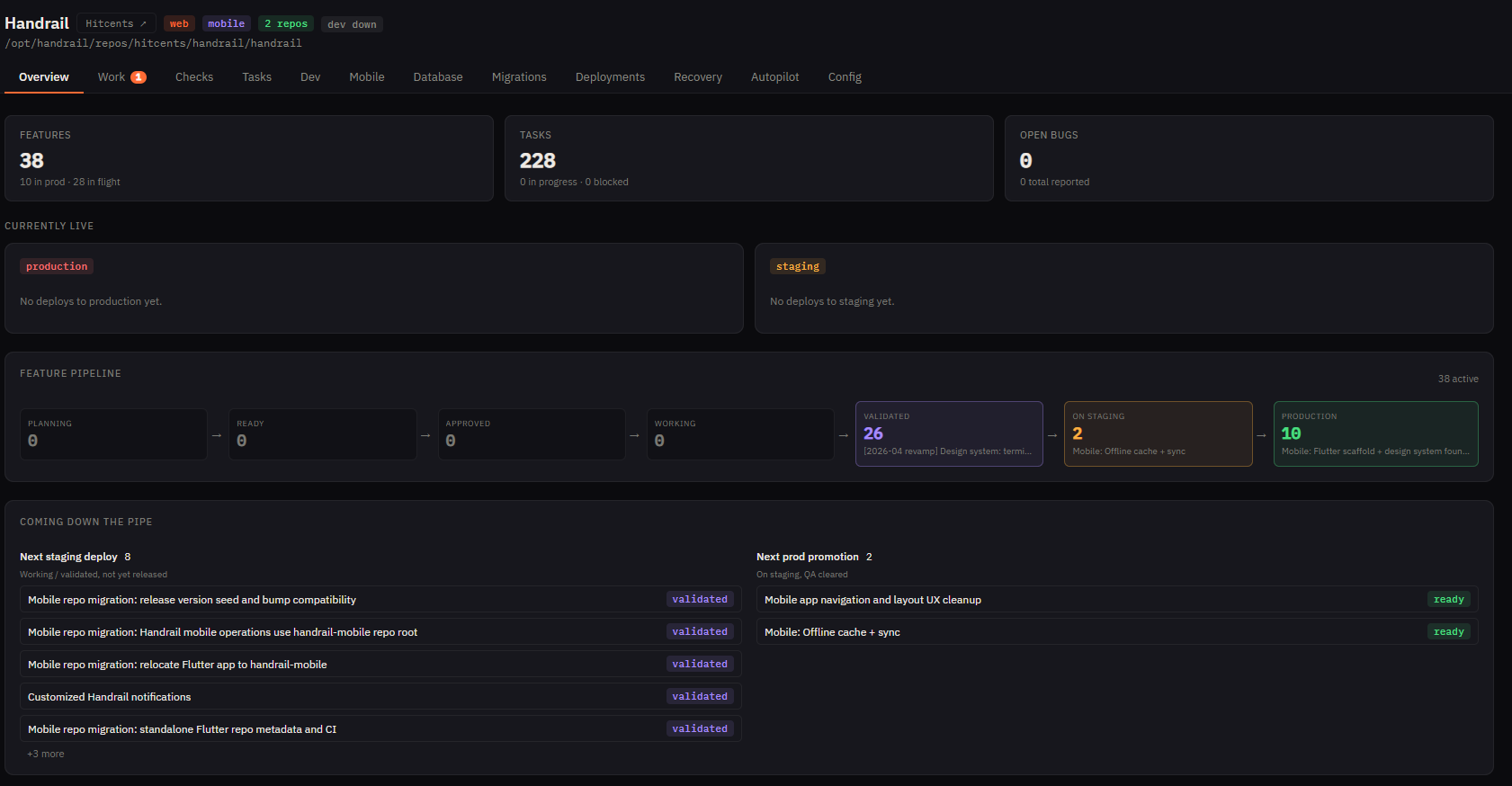
Priorities become an accountable delivery plan.
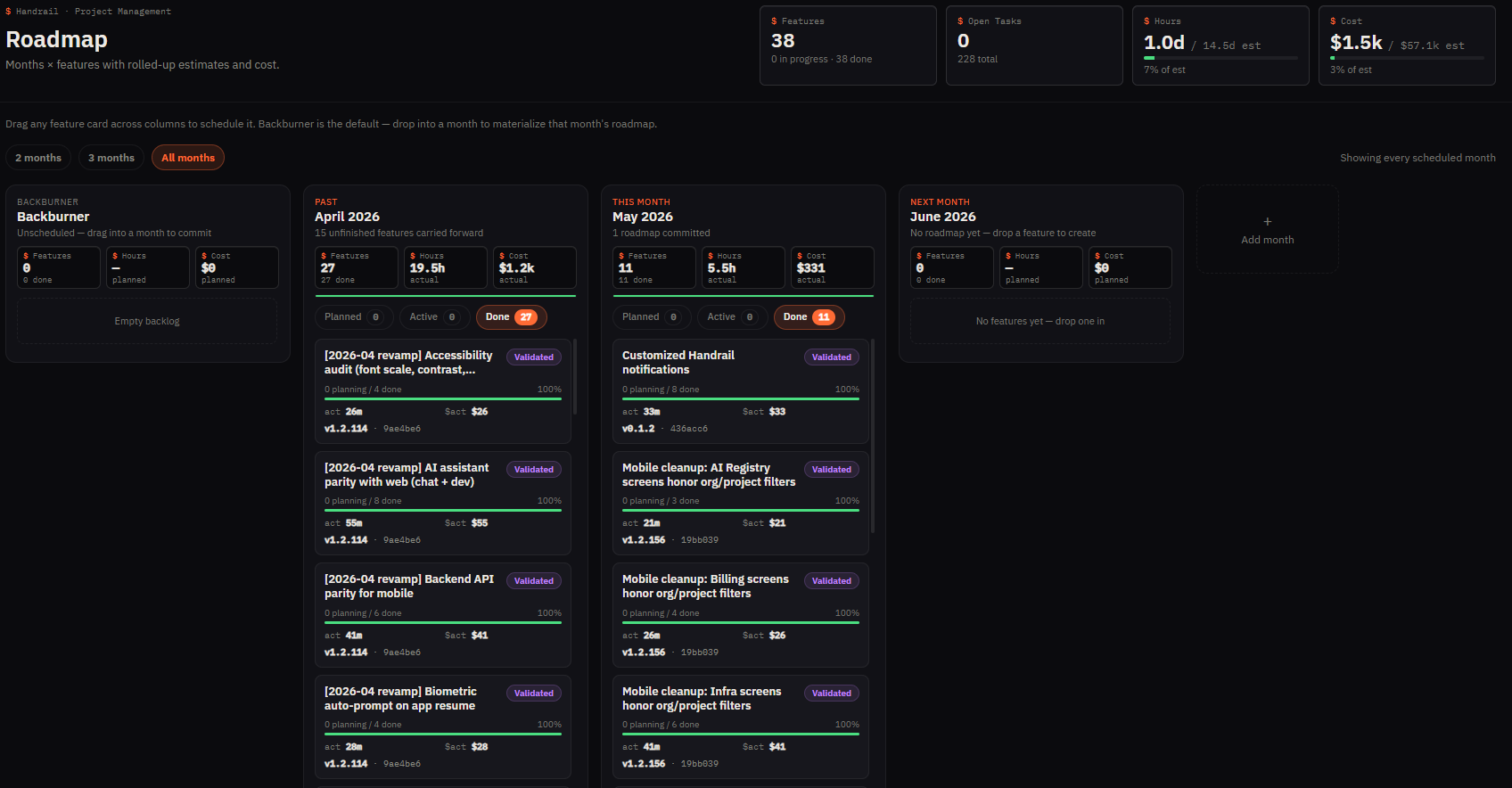
Handrail turns business requests into visible features, tasks, estimates, dependencies, and release waves. The roadmap shows what is active, what is waiting on input, what changed, and what is queued next so customers can make priority decisions before changes move forward.
- RequestsNew ideas and pain points are captured with business context instead of being buried in email or chat.
- EstimatesScope is broken down into tasks, assumptions, dependencies, and estimated capacity before approval.
- DependenciesBlockers, integration needs, access gaps, and sequencing risks are visible while the roadmap is still flexible.
- Trade-offsCustomers can compare priority, pace, and scope with the same delivery record the team is using.
AI-assisted coding stays inside a human delivery system.
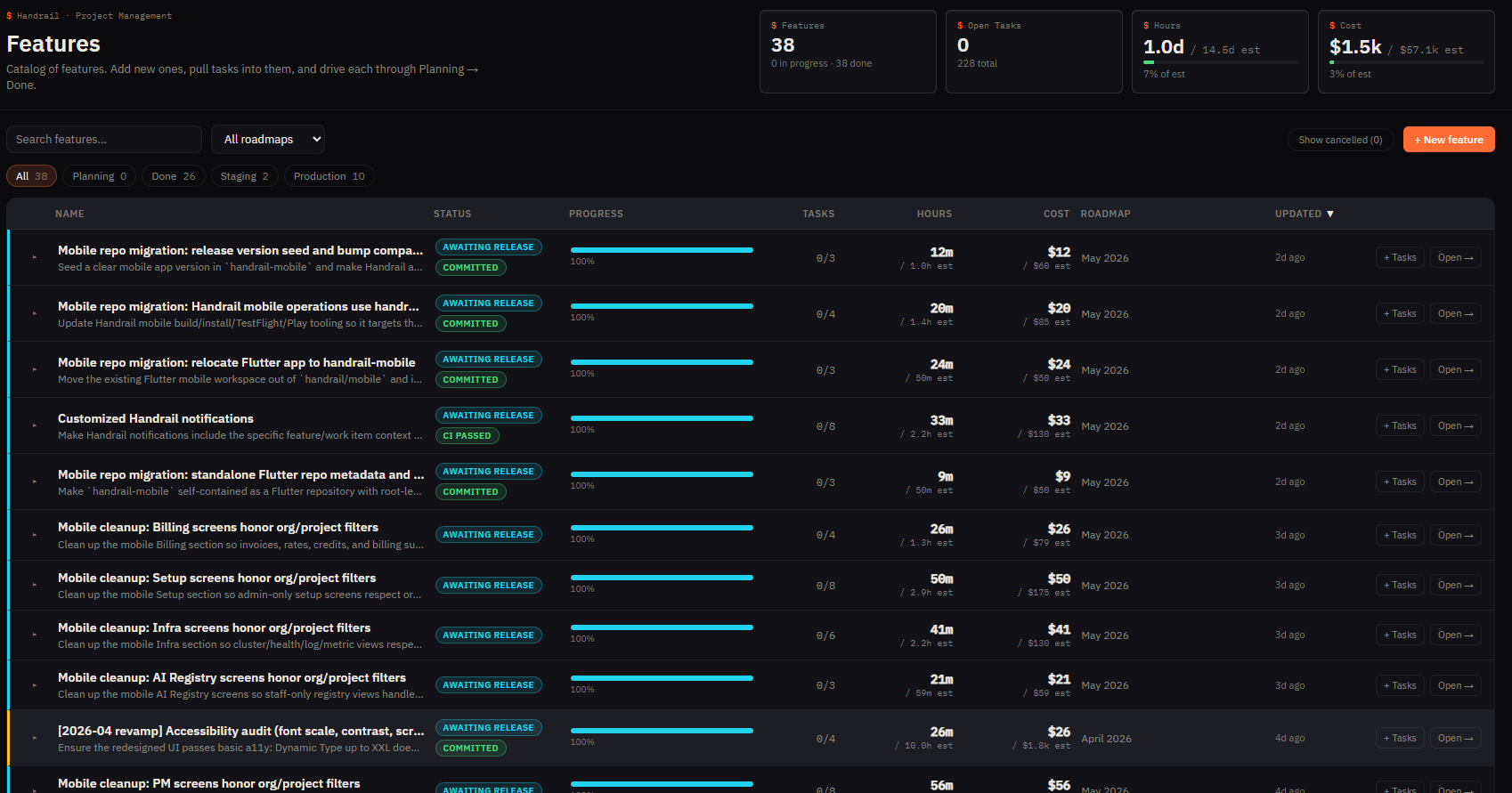
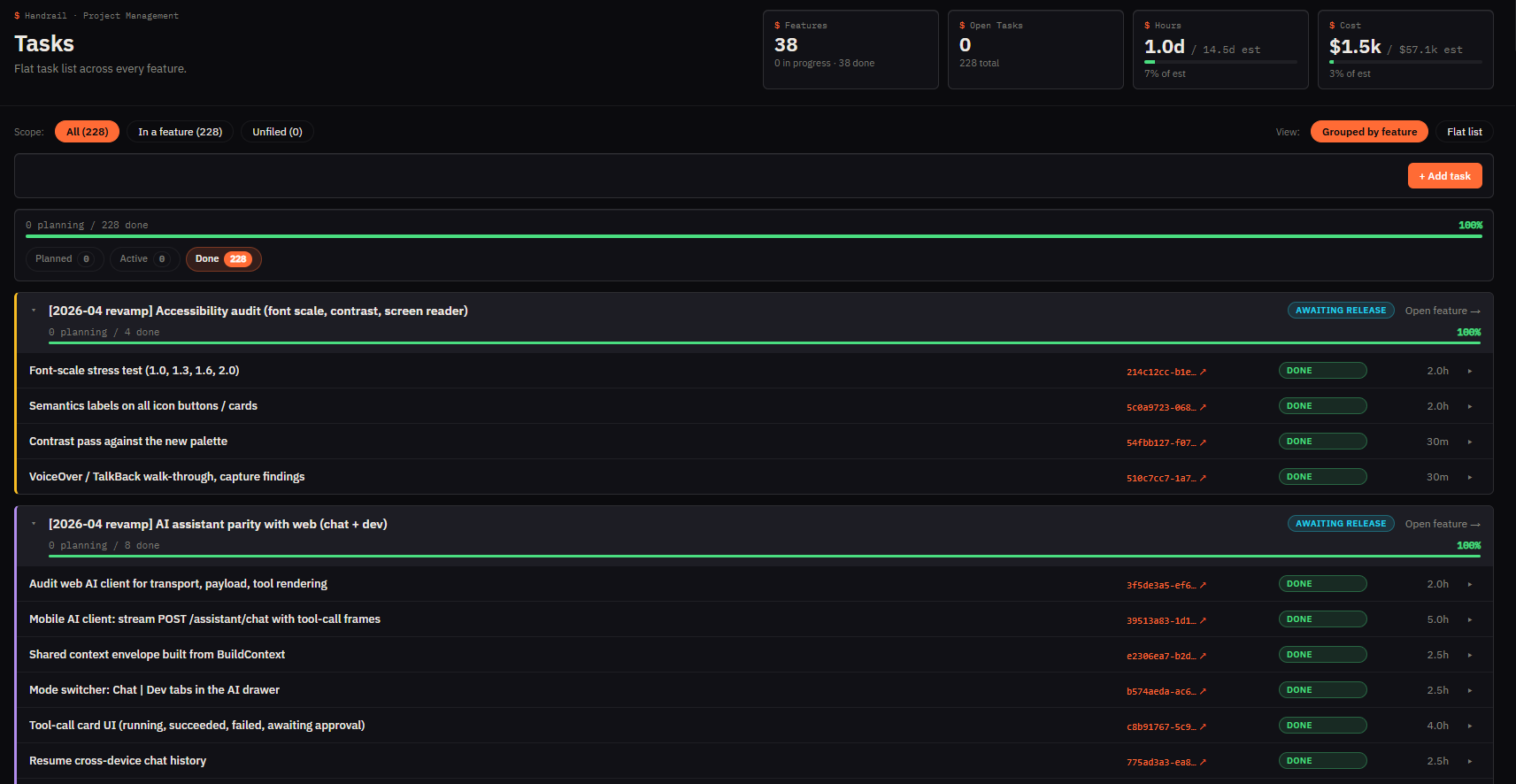
Handrail can coordinate AI-assisted implementation, but the important controls stay human: product judgment, architecture review, QA, release readiness, and customer approvals. Every feature and task keeps a stable record of status, estimate, review state, and outcome.
- AgentsAI assistance accelerates implementation tasks inside the same backlog, branch, review, and CI/CD workflow.
- HumansProduct, engineering, QA, and release owners supervise the work before it reaches staging or production.
- TasksEach task carries a stable ID, status, estimate, owner context, and relationship back to the customer-visible feature.
- ChangesScope changes, re-estimates, blockers, and release notes are recorded instead of handled as informal side conversations.
Release confidence is part of the workspace.
Handrail is more than planning and code. The platform keeps checks, environments, release records, and hosting operations tied to the work buyers approved, so non-technical stakeholders can tell what is ready for review, what is live, and what needs attention.
- ChecksBuilds, tests, deployment attempts, failures, fixes, and validation notes connect back to the feature or task that caused them.
- StagingReviewable work can be separated from production so customers can inspect outcomes before they approve a release.
- ReleasesProduction promotions keep a durable record of what changed, who reviewed it, and which customer-facing workflow it supports.
- HostingThe live system remains hosted and operated through the service, with environment status and operational context visible alongside delivery work.
- PlanIncluded service, usage, support activity, and delivery progress stay connected so ongoing decisions are about priorities and outcomes.
Choose how involved you want to be.
Some buyers want to approve every estimate, dependency, staging result, and production promotion. Others want the delivery team to run the daily flow and review concise rollups. Handrail supports both modes without hiding the record.
- Hands-onRequire explicit approval for scope, estimates, dependencies, staging review, production release, and priority changes before work advances.
- DelegatedLet the delivery team move approved work through the pipeline while you review summaries, blockers, capacity use, and release outcomes.
- ContinuityCustomer data, business outputs, the delivery record, and decisions remain visible instead of being trapped in a vendor black box.
- FitThe right involvement model is set during discovery and can evolve as trust, throughput, governance needs, and stakeholder expectations change.